
Yesterday ended the first day of Google I/O 2026, the developer conference organized by the Mountain View company. Numerous innovations presented with Gemini artificial intelligence at the center. Google I/O 2026 officially marked the definitive transition of the Mountain View giant from simple conversational artificial intelligence to the revolutionary “era of Gemini agents”; from an AI that simply answers questions, to an AI that can act on your behalf.
Below are the main new features of Google I/O 2026.
Gemini Omni
Omni combines Gemini intelligence with Google’s multimedia generative models. With Omni, you can combine images, audio, video and text as input to generate high-quality videos. Plus, you can easily edit videos with a simple conversation.
Omni doesn’t just construct realistic-looking scenes: it can reason about what should happen. Combine an intuitive understanding of physics with Gemini knowledge in areas such as history, science, and cultural context. Among the available functions, the ability to create videos using your own digital avatar, capable of speaking using the user’s voice, stands out.
Support for other output formats, such as images and audio, will arrive in the coming months.
Gemini Omni Flash is rolling out to all Google AI Pro and Ultra subscribers globally through the Gemini app and Google Flow. Starting this week, it will also be available for free to users of YouTube Shorts and the YouTube Create app.
Gemini Spark
Gemini Spark is the first truly personal “agentic assistant”. It runs around the clock on dedicated cloud virtual machines to complete complex tasks in the background for the user, without the need to keep the computer or smartphone turned on.
Thanks to integration with the Workspace suite (Gmail, Docs, Sheets and Slides) and other Google ecosystem services, Spark acts as an always-on virtual assistant. Among its capabilities we mention, for example, the automatic analysis of credit card statements to uncover hidden costs or the monitoring of children’s school emails with the extraction of deadlines.
Gemini Spark is based on the new Gemini 3.5 Flash model and will be available starting next week, for now to subscribers to the Google AI Ultra plan in the United States. On Android, you can track the progress and live updates of agents like Spark through a new interface space called Android Halo, coming later this year. Later this summer, Spark will operate directly in Chrome.
AskYouTube
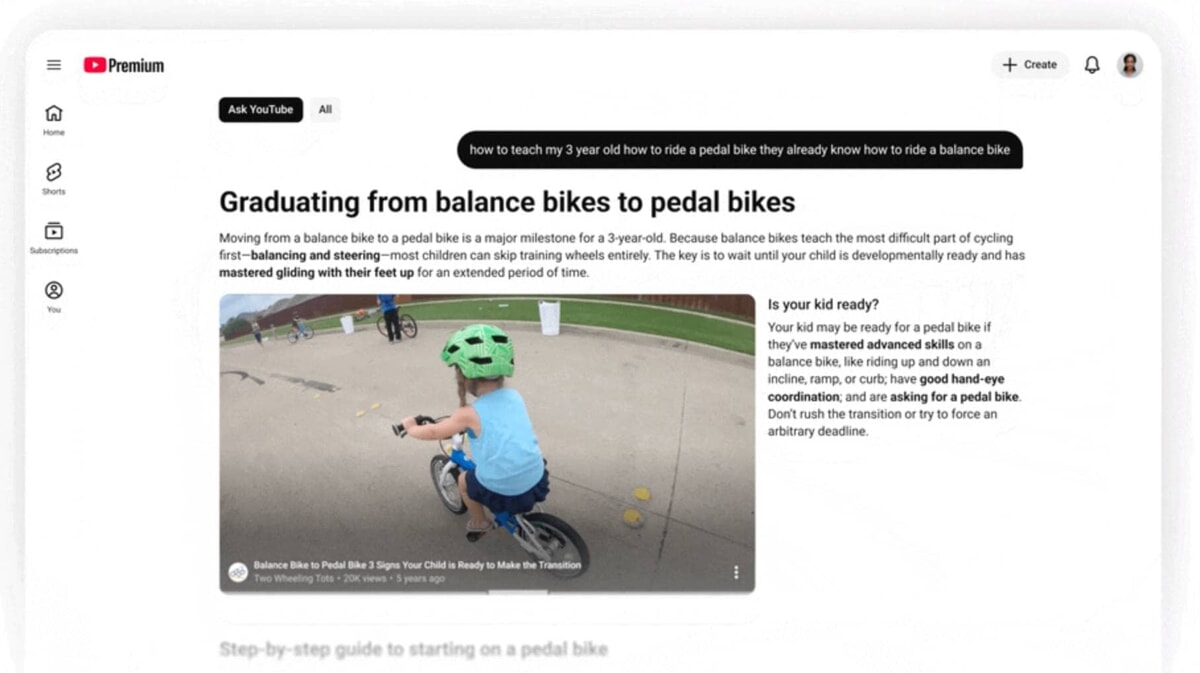
Ask YouTube completely reimagines the user experience, aggregating relevant long videos and shorts into interactive and structured answers, allowing immediate access to the most relevant passages.
With Ask YouTube, you can ask more complex search questions, like asking for advice on how to teach your child to ride a bike or finding reviews of relaxing games to play before bed.
The “Ask YouTube” feature is currently available to Premium subscribers aged 18 and older in the United States and will be coming to all YouTube users soon.
New voice features in Gmail, Docs and Keep
Google also announced new voice features in Gmail, Docs and Keep:
- Search your inbox: With Gmail Live, you can simply ask for what you need. Say phrases like, “What is the gate number of my flight?” or “what is my child’s school schedule this week?” and Gmail Live will search your inbox to find the answer instantly.
- Docs Live acts as a co-author to help you get a first draft faster using just your voice. You can simply talk and Docs Live takes care of the work, organizing your thoughts, structuring the document and, with your permission, securely retrieving relevant details from Gmail, Drive and the web. Docs Live helps you structure text, refine its style, and create with maximum fluidity.
- Keep: the well-known Google app now evolves; understands your notes and gets to work in the background transforming your ideas into organized notes and lists.
- These new conversational features in Gmail, Docs, and Keep will soon be available to Google AI Pro and Ultra subscribers and in preview for Google Workspace enterprise customers.
Google Pics
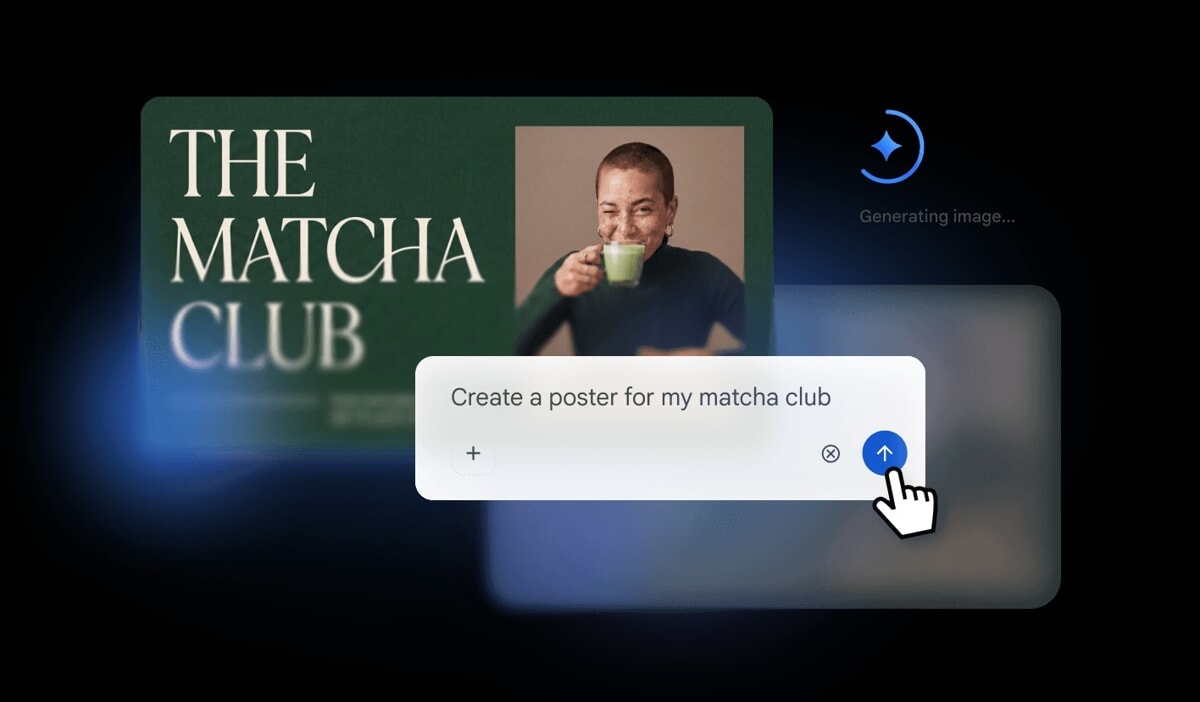
Google Pics is the new AI tool for generating and editing images, based on the latest Nano Banana model.
From designing event flyers and social media content to fine-tuning digital illustrations, this new tool includes features like:
- Select and edit specific elements with precision: you can easily move an object, resize it, or transform it entirely, such as changing the color of a sweater or turning a dog into a cat, all without affecting the rest of the image.
- Text editing and translation: Edit text directly within a photo or translate it into different languages while maintaining the original design and font.
- Workspace integrations: Google Pics will also be integrated into Workspace apps so you can easily edit images right where they live, like within Slides and Drive.
Google Pics will soon be available to Google AI Pro and Ultra subscribers and in preview for Google Workspace enterprise customers.
AI Inbox in Gmail
Earlier this year, AI Inbox was announced in Gmail to help you securely manage and stay on top of your inbox by intelligently prioritizing the most important updates and urgent tasks.
Below are the new features available:
- Personalized reply drafts: When an email requires a quick response, AI Inbox doesn’t just remind you, it generates a contextual draft so you can review and respond in seconds.
- Instant access to files: Stop wasting time searching through conversations. When a task requires review of a Google Docs document, Sheet, or Slide, the relevant link appears automatically.
Daily Brief
Daily Brief is another ready-to-use agent coming to the Gemini app. It gives you a personalized summary by synthesizing information from Gmail, Calendar and Tasks so you can find what matters most. It doesn’t just summarize data: it establishes priorities, organizes and suggests next steps, making each action easier. All in a concise morning summary, designed for quick reading.
Universal trolley
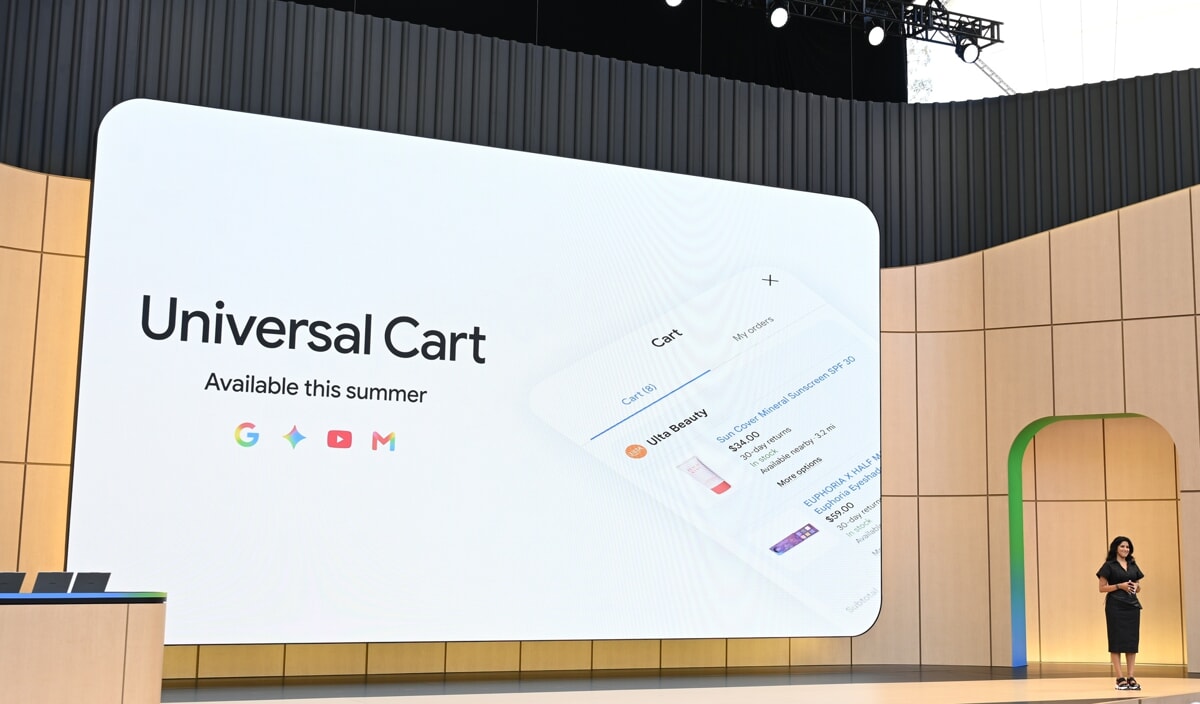
Universal Cart is a smart shopping tool and new shopping hub powered by Google agents. It works across Google products and with different retailers, allowing you to add articles while browsing Search or chatting in the Gemini app, and in the future you can also use it while watching videos on YouTube or reading emails in Gmail.
As soon as you add a product to the universal cart, it goes to work in the background: finding offers and price reductions, giving you insights into your cost history and notifying you when the item you’re looking for becomes available again.
The Universal Cart also uses logical reasoning to anticipate your needs and solve problems before they arise. Imagine you are assembling your first PC and adding different components from various retailers to your cart. The shopping cart will proactively report any incompatibilities between products and suggest alternatives. Being integrated with Google Wallet, the cart recognizes your loyalty programs and store offers and can even help you intelligently choose your payment method at checkout.
Universal Cart will roll out to Search and the Gemini app in the US this summer, with integration with YouTube and Gmail following soon.
AI Quests: the free video game that teaches artificial intelligence to kids