

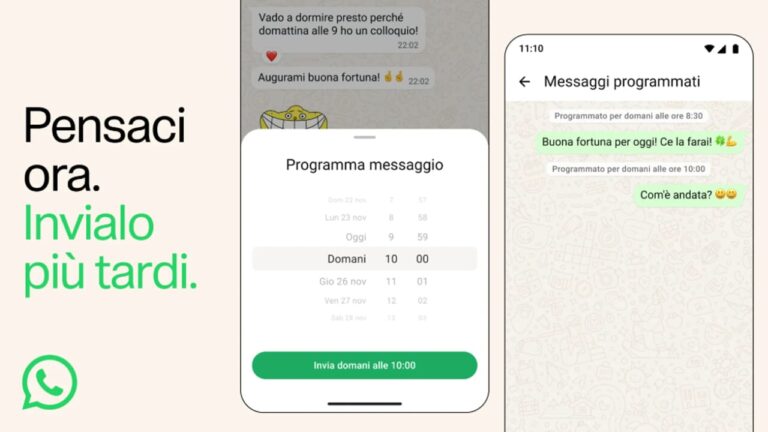
Messaging app WhatsApp has announced the introduction of a new feature: scheduled messages. As the name suggests, from now on users will be able to postpone sending an already written message that they don’t want or can’t send right away.
How to schedule a message on WhatsApp
To schedule a message, just hold down the send button and select the day and time we want it to be delivered to the recipient. Whoever receives the text sees it as a normal message, while the sender can check the list of those already scheduled and cancel them in advance if he changes his mind.
The time window for scheduling the message is up to a maximum of 14 days and the functionality will be available “in both individual and group chats”. The innovation is designed for those occasions in which the user needs to communicate something to a contact, but realizes that the time is not suitable. With scheduled messages you can “get your mind off it” without having to remember it later.
A novelty requested by users
According to the messaging company, the new feature has been clamored for by users and will be rolled out globally “in the coming weeks.” Scheduled messages will also be available to send photos and videos, and the message will be delivered to the recipient even if the smartphone is turned off or out of battery. The content remains protected by end-to-end encryption like other personal conversations, so that no one else, not even WhatsApp, can read the text.