

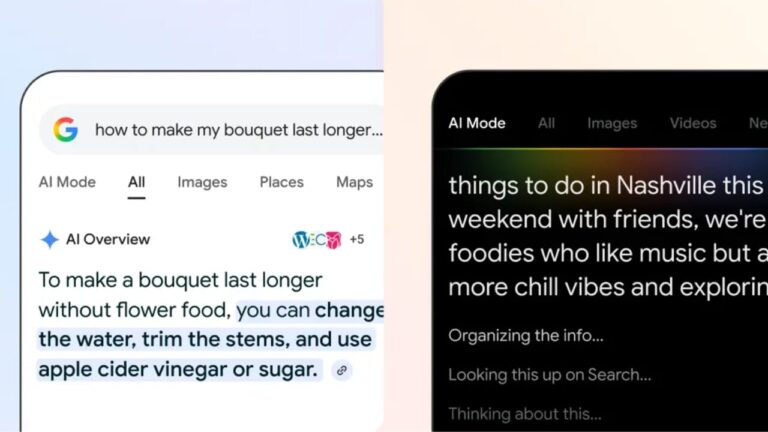
For some time now, consulting Google has no longer been the ‘clean’ experience we were once accustomed to. Ever since the Mountain View giant decided to integrate generative artificial intelligence at the top of search results, finding the information we need has become a real exercise in patience. With the Ai Overview functionality, the user finds himself faced with long blocks of text – often with information that tells the obvious – and forces him to scroll endlessly before finding the content that answers his questions.
How to hide Ai Overview from Google
Although Big G hasn’t included a button to disable the feature in the main settings, there is an immediate solution, just a click away, in the filters toolbar. In fact, next to the Images, Videos and News tabs, it is possible to select the Web option. By clicking on it, Google’s AI disappears, and at the same time the advertising widgets also ‘dematerialize’: in this way, the search results page returns to being an essential list of links, just as users were used to many years ago. This is, in fact, the quickest way to bypass Gemini and go straight to the original source.
Another immediate solution can be applied directly in the search bar: simply add the minus sign followed by the word ‘ai’ at the end of your query. For example “Latest Italian news – ai”: this string tells Google to exclude results generated by artificial intelligence, and therefore the appearance of the Ai Overview block at the top of the search results. Using this strategy, however, Big G will also hide all the articles that contain the word ‘Ai’ in the body text, risking the user losing some content that could be relevant (particularly if the search key entered concerns tech topics).
Another valid alternative to avoid remembering commands is to rely on small free extensions for Chrome and Firefox, easily downloadable from the web. Among these, ‘Hide Google AI Overviews’, an essential tool that simply surgically hides the generative block while leaving the rest of the page intact. For those who want a deeper cleaning, it is possible to install the more powerful ‘Bye Bye, Google AI’, which not only allows you to eliminate artificial syntheses, but also to make other elements often considered annoying, such as sponsored product boxes or suggested videos, disappear. Another alternative is ’10 Blue Links’, which forces the browser to load the text version of Google directly, while ensuring maximum loading speed.