


Asus ROG Xbox Ally is the entry level version of the new generation by Ally, Asus and Microsoft’s attempt to merge the world of Windows PCs with the simplicity of an Xbox console. The result is a device that exploits the new Xbox Full Screen Experience interfaceso similar to the console world that it makes us (almost) forget that there is a non-gaming operating systemwhile under the body there is updated hardware. All collected in a case with perfect ergonomics, because it is strongly inspired by the Xbox pad.
Design and ergonomics: the Xbox controller becomes a PC
The first sensation, taking it in hand, is the right one: lthe best ergonomics ever seen on a “handled” (this is how PCs that almost fit in the palm of a hand are defined) equipped with a Windows operating system. ASUS worked side by side with the Xbox team and Microsoft’s hand can be clearly felt: just compare the Xbox pad with the console to understand that, weight aside, the fingers immediately find the controls where they left them.
The grip is perfectthe triggers are long and with a soft stroke, the rear texture increases grip and, despite the 670 grams of weight, the balance is such that it does not tire even after prolonged sessions. Ergonomics is now the benchmark of the industryleaving behind Steam Deck and Legion Go which remain a step behind from this point of view.
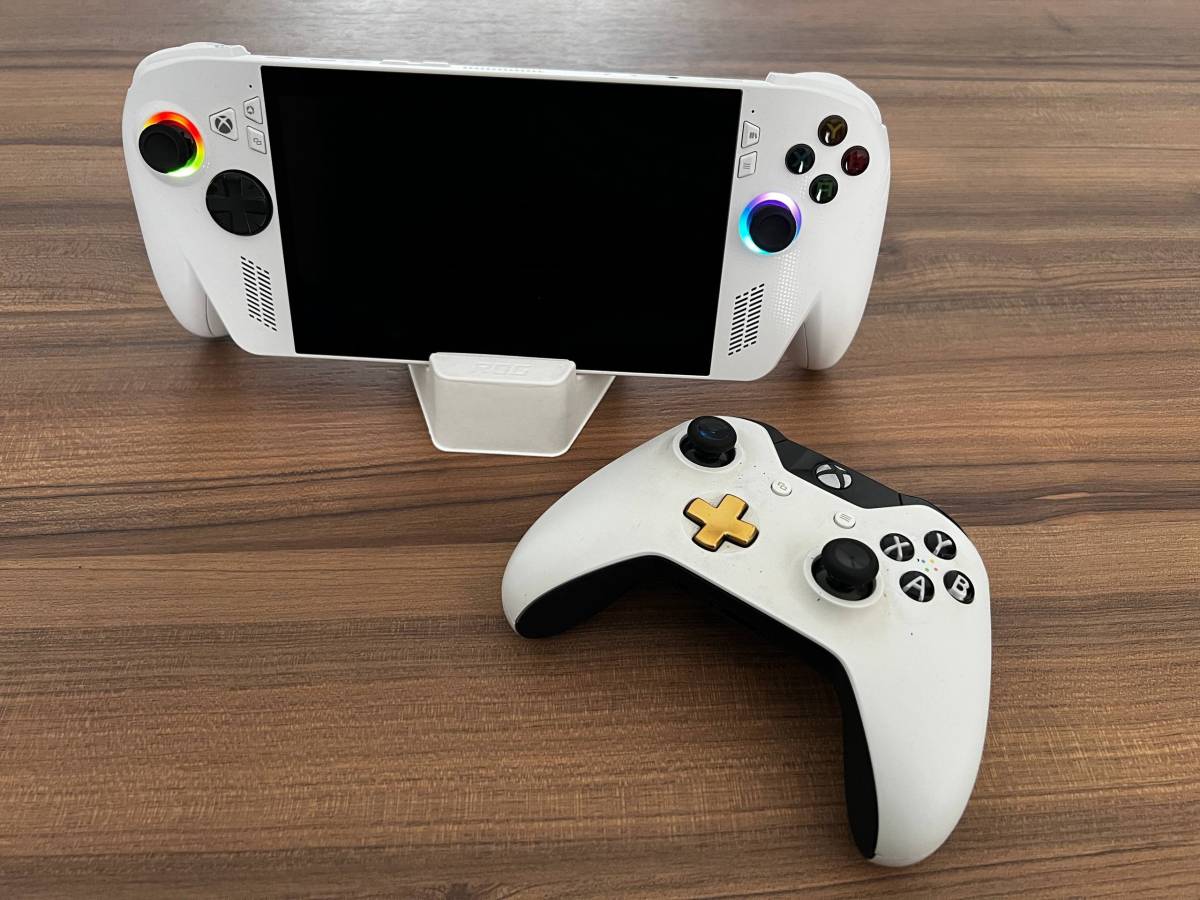
Good construction and materials: it’s all plastic, and you can feel itbut the textures and the ROG aesthetic treatment, with some details and LEDs, make this Ally a little more pleasant. However, it cannot be said that the feeling in the hand is that of a premium product. Along the entire body there are two USB-C ports, audio jack and microSD slot.
Therenoise it remains imperceptible even in Turbo modeas well as heat since the vents are well separated from the handle part and the hot air does not risk cooking your fingers.

Hardware, audio and display
The panel used for this ROG Xbox Ally remains a 7 inches with Full HD resolution (1920×1080). This is a IPS with update frequency a 120 Hz, 500 nits of brightness maximum, sRGB coverage of 100% and AdobeRGB of 75%, but since it is not a video editing PC, you can be satisfied. To protect it, Asus has used a Gorilla Glass Victus coating.
The performance is quite pleasant, as well as the fluidity is excellent… but it is a panel that is not in step with the times given that they remain important frames which impact the general aesthetics of the product, especially if we are talking about the €899 X version where we would have expected something more, perhaps even with the transition to OLED technology.
Under the hood there is something new AMD Ryzen Z2 A This is the least performing processor among those of the Z2 generation: the best, and most interesting, is the AI Z2 Extreme which however is found on the Ally This one being tested is the Ally “without X”, the basic version costing €599.

The price is certainly not low, especially if we compare it with a Switch 2 with a list price of €469, and at this figure Ally offers us a chipset with only 4 cores and 8 threads (the Ally 16 GB of RAM and a 512 GB SSD disk.
There are three energy modes: Silent (13 W), Performance (17 W) and Turbo which reaches 25W on battery and 35W if you connect the power supply, with a maximum absorption of 55 W at peaks. The battery life depends on the type of video game you decide to run, and you can draw on the entire Xbox / Windows catalogue, with around 2/3 hours with light and low-resource titles, up to a couple of hours maximum in Turbo mode (the battery is 60 Wh)
Closing with audio, ROG Xbox Ally comes out on top: it supports Dolby Atmos and even with the integrated speakers it has a sound stage which, considering the tiny dimensions of the speakers, is very respectable and pleasant, with good sound power without distortions and a volume that can go high… but there will hardly be a need to reach the maximum.

Xbox Full Screen Experience, the software really makes the difference
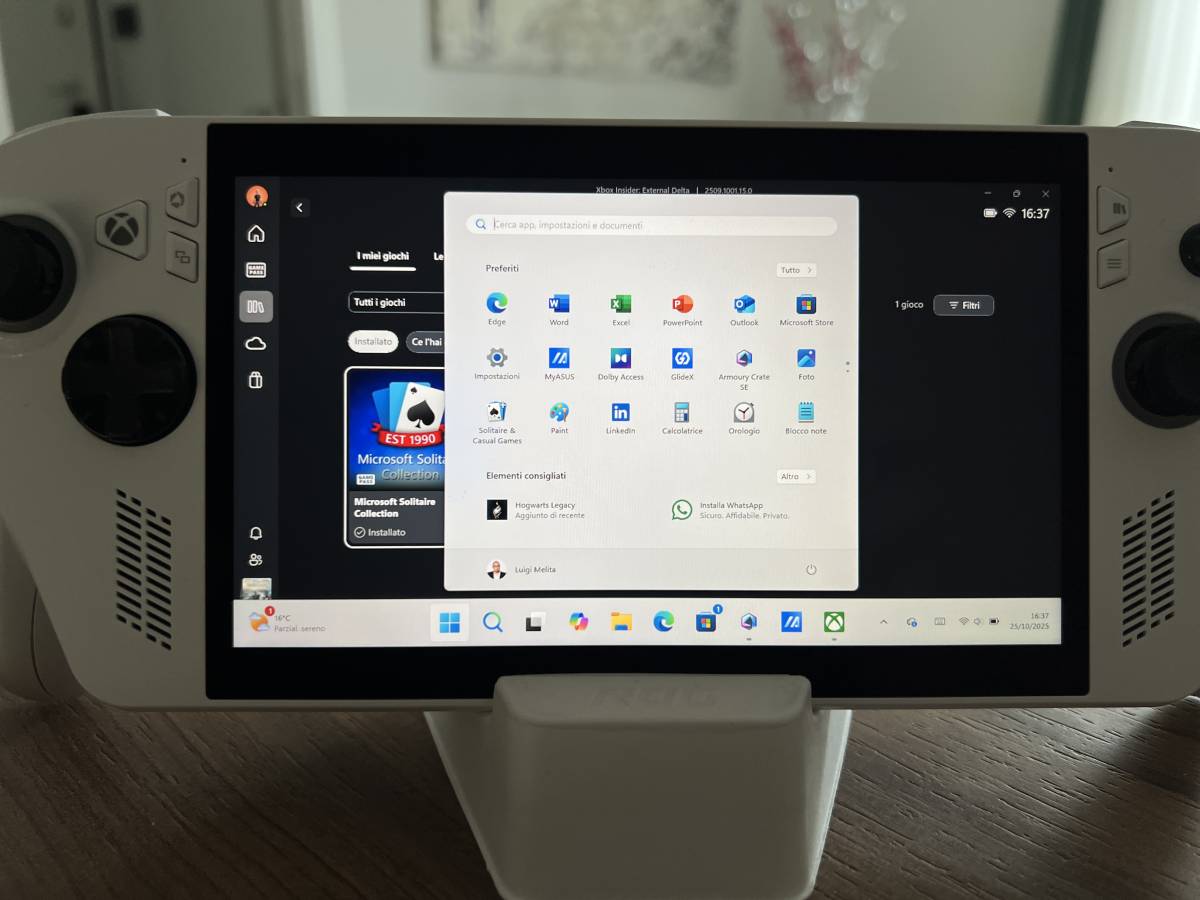
On the software side there is the Xbox Full Screen Experiencea high-sounding name for what it is configured as an interface, developed with Microsoftwhich reduces background processes and aggregates libraries from Game Pass, Steam, Battle.net, Epic, etc. into a single screen. With the Xbox button the overlay opens which includes Command Center, chat, game library and shortcuts. The experience is practically that of consoles because the interface is activated immediately upon startup and we practically never see Windows, unless we want to.
In short, an excellent job that should certainly be praised, but all it takes is a gesture of the touchscreen, perhaps a swipe from the bottom left corner, to open the Windows notifications widget and realize that… Windows 11 is there. Maybe dormant, maybe silent, but always present.

However, we are talking about a huge step forward compared to the previous generation Ally from a software and interface point of view: for the first time a handled PC can really be used like a console.
Integration with Armory Crate has been refined: it now allows you to adjust the VRAM (6 GB by default, editable), create profiles, manage fan control and lighting. All without ever leaving the game interface thanks to perfectly integrated and very convenient and intuitive pop-up window.
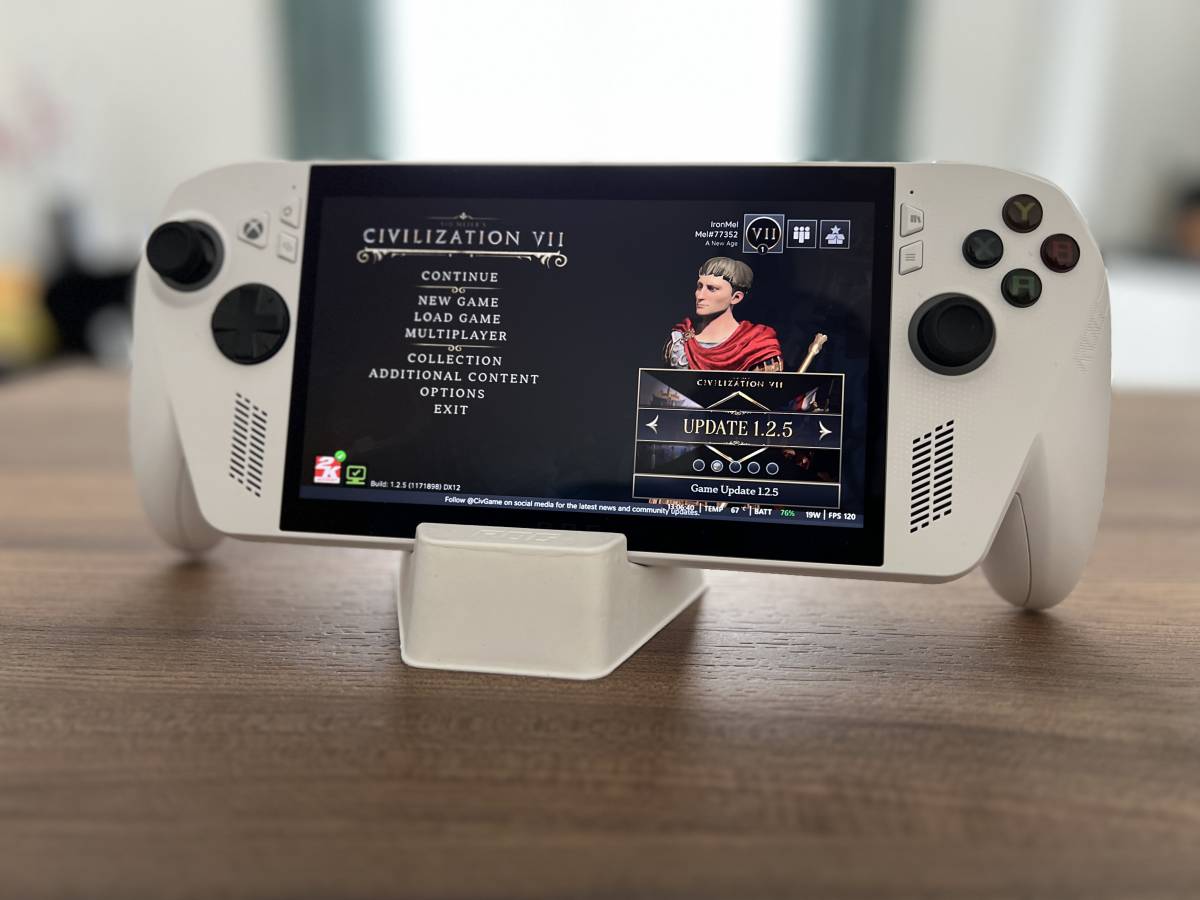
We also did a test with Steama gaming classic in the PC world. The interface is still optimized even if in some situations window management still exists and requires the touchscreen.
We tried a title very linked to the world of mouse and keyboard just to understand if it was manageable even with this gaming console approach. Civilization VII runs smoothly by working a little on the settings, and the interesting thing is that Asus and Microsoft’s interface merges games into a single screen, regardless of platform (Steam, Xbox etc) where they are installed.
Furthermore, thanks to the general optimization, the controller keys can be mapped to also manage games originally designed for mouse and keyboard. Those who don’t want to do this operation manually can download the pad configurations (if any) directly from the developer of that title and, in any case, use the touchscreen as needed.

Performance: good, but with limitations
By choosing the basic versionwithout the Ryzen AI Z2 Extreme from Ally you have to be aware of what you are buying. The muscles here are a little sluggish, and even keeping all details to a minimum, some more recent and resource-intensive triple-A video games are far from 60 FPS, and obvious slowdowns are noticeable to the eye. Sometimes even the fixed 30 FPS is a mirage, although in all the tests we managed to find a compromise in the video quality settings to have a fluidity that made the title playable.
Even during the longest sessions, the Ally maintains stable performancebut on the other hand the limit here is only the battery life because the hardware is really well optimized and always manages temperatures well. Instead, putting it under stress with the charger connected, the fans manage the situation well in Turbo, and the temperature peaks range between 80 and 90 degrees, even if the real test will be the summer one.
With Halo Infinitecertainly not a very recent title, on battery and in Turbo mode the framerate travels between 30/35 minimum FPS and 50 maximum FPS with game setup on medium level. By going slightly lower with some details (or leaving it to the automatic settings by commanding the game to try to stay at the minimum 60 FPS), you can obtain a fairly stable average of 50 FPS. In this situation the power remains between 30 and 35 W. The situation improves slightly when you connect the power supply, but in reality the ROG Xbox Ally is calibrated to give maximum performance even on battery in Turbo mode and don’t let the absence of the power cable represent a bottleneck.
In general, with the right settings, even the most recent video games still become enjoyable: by giving up some graphic embellishments in favor of fluidity, you can manage practically the entire panorama of titles currently available, with performance in terms of framerate that varies depending on the title.
Claire Obscure Expedition 33for example, runs with a decent framerate at medium/low settings (30 FPS) and around 20 at high settings. Hogwarts Legacy it struggles a little more and requires you to go down with the graphic settings to have acceptable fluidity.
Price and versions
The price of the ROG Xbox Ally, the trial version, is of 599 euros. ROG Xbox Ally ROG XBox Ally is for more casual players or for those who play titles that are not excessively expensive. With Fortnite for example you get good results and a stable framerate.
ROG Xbox Ally it is instead the one for those who look at a long-term perspective and more complex titlesbecause it doubles the storage space (1 TB SSD disk), increases the memory from 16 to 24 GB (2 LPDDR5X modules), and uses the AI Z2 Extreme processor instead of the Z2 A, as well as being equipped with an 80 Wh battery instead of 60 Wh. Both share the same 7-inch Full HD 120Hz display and software setup, and both include 3 months of Xbox Game Pass Premium.
The “basic” Ally is to be purchased only if you are aiming for titles that are a little older (a few years) or not particularly demanding, while the Ally
performance of a gaming notebook.
It’s just a shame that, despite a good IPS display and excellent thermal management, there is a discrete chipset on the basic version and a WiFi module that is not up to date (only 6E and not 7).